Census Tracts

Call for Proposals: Celebrating the Census in the Journal of Maps

I’m serving as a co-editor for a special issue for the Journal of Maps entitled “Celebrating the Census“. The Journal of Maps is an open access, peer reviewed journal published by the Taylor & Francis Group. The journal is distinct in that all articles feature maps and spatial diagrams as the focal point for studying geographic phenomena from both a physical / environmental and social science perspective.

Here’s the official synopsis for this census-themed special issue:

We invite contributions to a special issue of the Journal of Maps focused upon the evolving character and cartographic opportunities offered by traditional census statistics and the impact of transitioning from these sources of population data at a range of spatial scales into a new era of big data assembly. In so doing, the special issue marks two important events taking place in the UK during 2021 in the history of British Censuses and seeks contributions that reflect the past transition of population data cartography through the digital era of the last 50 years and anticipates its transformation into the big data era of the foreseeable future.

While the issue marks the 100th anniversary of the UK census, submissions concerning census mapping from around the world are welcome and encouraged in these topic areas, including but not limited to:

  • Spatial and statistical consistency over time
  • People on the move
  • Mapping people through space and time
  • Mapping morbidity and mortality
  • Politics and population data
  • International comparison of demographic mapping
  • Before and after population mapping using censuses and administrative sources
  • Population data and mapping human-environmental interaction
  • Transition and evolution in population mapping

Visit the special issue announcement for full details. Deadlines:

  • April 30, 2021: a short draft (500-word limit) outlining themes and scope of the paper, preferably with a sample map
  • June 14, 2021: abstracts will be selected by the editorial team by this date
  • Sept 5, 2021: completed paper (4000-word limit) is due

The issue will be published sometime in 2022.

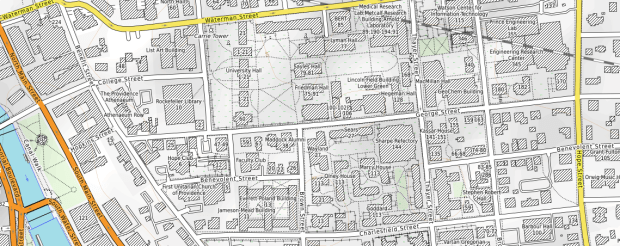
Brown University on OpenTopoMap

A New Year and a New Start

I have some news! After 13 1/2 years, January 31, 2021 will be my last day as the Geospatial Data Librarian at Baruch College, City University of New York (CUNY). On February 1, 2021, I will be the new GIS and Data Librarian at Brown University in Providence, Rhode Island!

It’s an exciting opportunity that I’m looking forward to. I will be building geospatial information and data services in the library from the ground up, in concert with many new colleagues. I will be working closely with the Population Studies Training Center (PSTC) and the Spatial Structures in Social Sciences (S4) as well as the Center for Digital Scholarship within the library. Several aspects of the position will be similar, as I will continue to provide research and consultation services, create research guides and tutorials, teach workshops, collect and create datasets, and eventually build and manage a data repository and small lab where we’ll provide services and peer mentor students.

The resources I’ve created at Baruch CUNY will remain accessible, and eventually a new person will take the reins. I have moved the latest materials for the GIS Practicum, my introductory QGIS tutorial and workshop, to this website and I hope to continue updating and maintaining this resource. There are a lot of people throughout CUNY that I’m going to miss, at: the Newman Library, the CUNY Institute for Demographic Research, the Weissman Center for International Business, the Marxe School, Baruch’s Journalism Department, the Geography Department at Lehman College, the Digital Humanities program and the CUNY Mapping Service at the CUNY Graduate Center, and many others.

I will continue writing posts and sharing tips and resources here based on my new adventures at Brown, but may need a little break as I transition… stay tuned!

Best – Frank

Stamen Watercolor Map Tiles

Adding Basemaps to QGIS With Web Mapping Services

For this final post of 2020, I was looking back through recent projects for something interesting yet brief; I’ve been writing some encyclopedia-length posts lately and wanted to keep this one on the lighter side. In that vein, I’ve decided to share a short list of free web mapping services that I use as basemaps in QGIS (they’ll work in ArcGIS too). This has been on my mind as I’ve recently stumbled upon the OpenTopoMap, which is an alternate stylized version of the OpenStreetMap that looks pretty sharp.

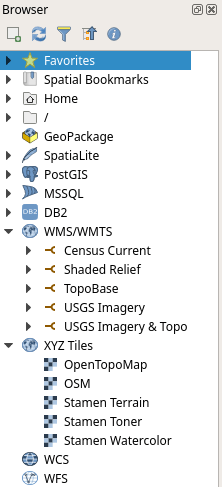
See this earlier post for details, but in short, to connect to these services in QGIS:

QGIS Browser Panel
  1. Select the appropriate web map service type in the browser panel (usually WMS / WMTS or XYZ Tiles), right click, and add new connection.
  2. Give it a meaningful name, paste the appropriate URL into the URL box, click OK.
  3. In the browser panel drill down to see the service, and for WMS / WMTS layers you can drill down further to see specific layers you can add.
  4. Select the layer and drag it into the window, or select, right click, and add the layer to the project.
  5. If the resolution looks off, right click on a blank area of the toolbar and check the Tile Scale Panel. Use this to adjust the zoom for the web map. If the scale bar is greyed out you’ll need to set the map window to the same CRS as the map service: select the layer in the panel, right click, and choose set CRS – set project CRS from layer.
  6. Some web layers may render slowly if you’re zoomed out to the full extent, or even not at all if they contain many features or are super detailed. Conversely, some layers may not render if you’re zoomed too far in, as tiles may not be available at that resolution. Experiment!

If you’re an ArcGIS user see these concise instructions for adding various tile layers. This isn’t something that I’ve ever done, as ArcGIS already has a number of accessible basemaps that you can add.

In the list below, links for the service name take you to either the website version of the service, or to a list of additional layers that you can connect to. The URLs that follow are the actual connections to the service that you’ll use within your GIS package. If you use OSM, OTP, or Stamen in your maps, make sure to cite them (they use Creative Commons Licenses – follow links to their websites for details). The government sources are public domain, but you should still cite them anyway. Happy mapping, and happy holidays!

OpenStreetMap XYZ Tile (global)

http://tile.openstreetmap.org/{z}/{x}/{y}.png

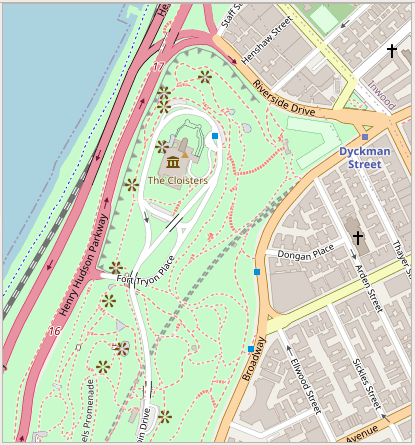
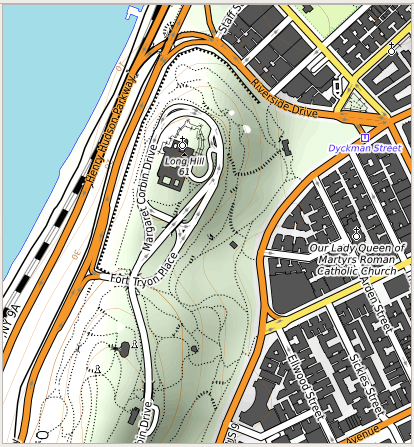
OpenTopoMap XYZ Tile (global)

https://tile.opentopomap.org/{z}/{x}/{y}.png

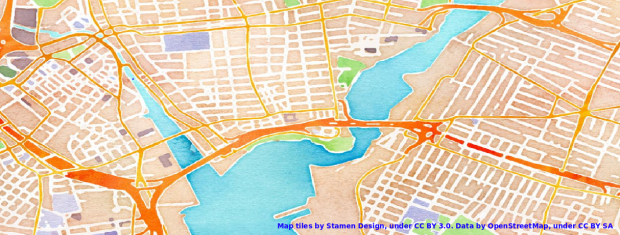
Stamen XYZ Tile (global) see their website for examples; the image topping this post is from watercolor

http://tile.stamen.com/terrain/{z}/{x}/{y}.png
http://tile.stamen.com/toner/{z}/{x}/{y}.png
http://tile.stamen.com/watercolor/{z}/{x}/{y}.jpg

USGS National Map WMTS (global, but fine detail is US only)

Imagery:
https://basemap.nationalmap.gov/arcgis/rest/services/USGSImageryOnly/MapServer/WMTS/1.0.0/WMTSCapabilities.xml

Imagery & Topo:
https://basemap.nationalmap.gov/arcgis/rest/services/USGSImageryTopo/MapServer/WMTS/1.0.0/WMTSCapabilities.xml

Shaded Relief: 
https://basemap.nationalmap.gov/arcgis/rest/services/USGSShadedReliefOnly/MapServer/WMTS/1.0.0/WMTSCapabilities.xml

Topographic:
https://basemap.nationalmap.gov/arcgis/rest/services/USGSTopo/MapServer/WMTS/1.0.0/WMTSCapabilities.xml

US Census Bureau TIGERweb WMS (US only) see their website for older vintages

Current TIGER features:
https://tigerweb.geo.census.gov/arcgis/services/TIGERweb/tigerWMS_Current/MapServer/WMSServer 

Current physical features:
https://tigerweb.geo.census.gov/arcgis/services/TIGERweb/tigerWMS_PhysicalFeatures/MapServer/WMSServer

CEC North America LULC

Dataset Roundup: A Summary of Specialized Open Data Sources

I list the top free GIS data sources that I consistently use on my Resources page; these are general, foundational sources that can be used for many applications. In this post I’m going to summarize an eclectic mix of more specialized resources that I’ve used or that have been recommended to me over this past year. I’ve categorized these into GIS datasets, sub-national population data for countries (tabular data that can be joined to GIS vector layers), and historic socio-economic data for countries.

Geospatial Data

North American Land Change Monitoring System

Published by the Commission for Environmental Cooperation, these land use and land cover rasters (see photo at the top of this post) are derived from MODIS imagery at 250 meter resolution for earlier years and either Landsat-7 or RapidEye imagery at 30 meter resolution for later years for Canada, the United States, and Mexico in 2005, 2010, and 2015. There are layers for both land cover and land cover change over a 5-year period. Land cover is classified into 19 categories based on UN FAO standards. It’s easy to download as the layer is unified (no individual tiles to mess with and stitch together) and for the 2015 series you can choose a national file or one for the entire continent.

PRISM Climate Data

Published by the Northwest Alliance for Computational Science & Engineering at Oregon State University, the PRISM Climate Group publishes climate data for the United States. You can generate daily, monthly, or 30-year normal rasters for temperature (min, max, mean), precipitation, dew point, and a few other measures for the continental US. There are also some prepackaged files that were created for special projects that cover Alaska, Hawaii, and some of the US territories. The site is very easy to use (certainly compared to other sites that provide climate data) and beyond its research applications the data is good for teaching purposes, as files are straightforward to create, download, and interpret.

PRISM Mean Temp Map Oct 2020

Marineregions.org Marine Boundaries

I usually help people find vector boundaries for terrestrial features, and the oceans are an afterthought that appear as the absence of land. But what if you specifically needed features that represent oceans and seas? Marineregions.org, maintained by the Flanders Marine Institute, provides many sets of water-based boundaries that include maritime regions (legal sea zones around countries) as well as polygons that represent the boundaries of the oceans and largest seas (IHO Sea Areas, defined by the International Hydrographic Association). See the screenshot of this layer in QGIS below.

IHO Seas Layer in QGIS

GNSS Time Series

Produced by NASA JPL, this dataset can be used for measuring vertical land movement (VLM) and subsistence, primarily due to movement of the earth’s tectonic plates. The dataset contains over 2,000 GPS observation points or stations; the majority are in the US but there are a scattering of points throughout the world. The data file for geodetic positions and velocities contains two records for every station: the POS (position) record provides data for the latitude (N), longitude (E), and elevation (V) in mm. The VEL (velocity) indicates the rate of movement over the time period by direction (N / E) and elevation. The last three columns for both sets of records are margins of error for each value. The data file is in a fixed-width text format. To use it in GIS you need to parse the data into a tabular format and drop the header information. When plotting the coordinates, the CRS for the geodetic file is IGS14 (EPSG code 9019). If your CRS library doesn’t include this system, it is roughly equivalent to ITRF2014 (EPSG code 7789).

Subnational Population Data

IPUMS Terra

Are you looking for population or socio-economic data for the first-level administrative divisions (states, provinces, departments, districts, etc) for many different countries? IPUMS Terra is part of the IPUMS series at the Minnesota Population Center, Univ of Minnesota. The data has been gathered from census and statistical agencies of individual countries, or in some cases from estimates generated by the project. Choose the "Create Your Custom Dataset" option, then on the next screen choose "Start Extract Area Level Output". On the Extract Builder (see pic below) choose variables on the left, like Demographic and Total Population. Then under Datasets on the right you can choose countries and filter by year. Once you move on to the next screen, you can choose to harmonize the output or choose specific years, and choose your administrative level: national, ADM-1, or smallest available. You must register to use the IPUMS data series, but registration is free for educational and non-commercial use (as long as you cite IPUMS as the source).

IPUMS Terra Interface

Subnational Human Development Index

An alternative for first-level admin data is the Subnational Human Development Index published by the GlobalDataLab at the Institute for Management Research at Radboud University. There are far fewer variables and less customization compared to IPUMS Terra, but as such the site is smaller and easier to use. There are several different indices for measuring human development, but you can also access the following indicators: life expectancy, GNI per capita, expected and mean years of schooling, and population size in millions.

Historic Global Population and Economic Data

Maddison Project

Yes, that’s Maddison with two "ds". This project from the Groningen Growth and Development Centre at the University of Groningen generates comparative economic growth, income, and population data for countries over a long historical time span; back to the year AD 1 in a few cases, but for the most part from AD 1500 forward. They provide detailed documentation that explains how the dataset was created, and it’s easy to download in either an Excel or STATA format.

The World Countries Urban Population

This dataset consists of two spreadsheet files – one for the total urban population and another for the urban ratio of the population for countries going back to the year 1500. The dataset was created by Jonathan Fink-Jensen at Utrecht University and is held in the International Institute of Social History’s data repository. The repository contains a variety of other historic socio-economic datasets for many different countries.

NYC and NYMA Pop Change Graph 2000 to 2019

New York’s Population and Migration Trends in the 2010s

The Weissman Center for International Business at Baruch College just published my paper, “New York’s Population and Migration Trends in the 2010s“, as part of their Occasional Paper Series. In the paper I study population trends over the last ten years for both New York City (NYC) and the greater New York Metropolitan Area (NYMA) using annual population estimates from the Census Bureau (vintage 2019), county to county migration data (2011-2018) from the IRS SOI, and the American Community Survey (2014-2018). I compare NYC to the nine counties that are home to the largest cities in the US (cities with population greater than 1 million) and the NYMA to the 13 largest metro areas (population over 4 million) to provide some context. I conclude with a brief discussion of the potential impact of COVID-19 on both the 2020 census count and future population growth. Most of the analysis was conducted using Python and Pandas in Jupyter Notebooks available on my GitHub. I discussed my method for creating rank change grids, which appear in the paper’s appendix and illustrate how the sources and destinations for migrants change each year, in my previous post.

Terminology

  • Natural increase: the difference between births and deaths
  • Domestic migration: moves between two points within the United States
  • Foreign migration: moves between the United States and a US territory or foreign country
  • Net migration: the difference between in-migration and out-migration (measured separately for domestic and foreign)
  • NYC: the five counties / boroughs that comprise New York City
  • NYMA: the New York Metropolitan Area as defined by the Office of Management and Budget in Sept 2018, consists of 10 counties in NY State (including the 5 NYC counties), 12 in New Jersey, and one in Pennsylvania
Map of the New York Metropolitan Area
The New York-Newark-Jersey City, NY-NJ-PA Metropolitan Area

Highlights

  • Population growth in both NYC and the NYMA was driven by positive net foreign migration and natural increase, which offset negative net domestic migration.
  • Population growth for both NYC and the NYMA was strong over the first half of the decade, but population growth slowed as domestic out-migration increased from 2011 to 2017.
  • NYC and the NYMA began experiencing population loss from 2017 forward, as both foreign migration and natural increase began to decelerate. Declines in foreign migration are part of a national trend; between 2016 and 2019 net foreign migration for the US fell by 43% (from 1.05 million to 595 thousand).
  • The city and metro’s experience fit within national trends. Most of the top counties in the US that are home to the largest cities and many of the largest metropolitan areas experienced slower population growth over the decade. In addition to NYC, three counties: Cook (Chicago), Los Angeles, and Santa Clara (San Jose) experienced actual population loss towards the decade’s end. The New York, Los Angeles, and Chicago metro areas also had declining populations by the latter half of the decade.
  • Most of NYC’s domestic out-migrants moved to suburban counties within the NYMA (representing 38% of outflows and 44% of net out-migration), and to Los Angeles County, Philadelphia County, and counties in Florida. Out-migrants from the NYMA moved to other large metros across the country, as well as smaller, neighboring metros like Poughkeepsie NY, Fairfield CT, and Trenton NJ. Metro Miami and Philadelphia were the largest sources of both in-migrants and out-migrants.
  • NYC and the NYMA lack any significant relationships with other counties and metro areas where they are net receivers of domestic migrants, receiving more migrants from those places than they send to those places.
  • NYC and the NYMA are similar to the cities and metros of Los Angeles and Chicago, in that they rely on high levels foreign migration and natural increase to offset high levels of negative domestic migration, and have few substantive relationships where they are net receivers of domestic migrants. Academic research suggests that the absolute largest cities and metros behave this way; attracting both low and high skilled foreign migrants while redistributing middle and working class domestic migrants to suburban areas and smaller metros. This pattern of positive foreign migration offsetting negative domestic migration has characterized population trends in NYC for many decades.
  • During the 2010s, most of the City and Metro’s foreign migrants came from Latin America and Asia. Compared to the US as a whole, NYC and the NYMA have slightly higher levels of Latin American and European migrants and slightly lower levels of Asian and African migrants.
  • Given the Census Bureau’s usual residency concept and the overlap in the onset the of COVID-19 pandemic lock down with the 2020 Census, in theory the pandemic should not alter how most New Yorkers identify their usual residence as of April 1, 2020. In practice, the pandemic has been highly disruptive to the census-taking process, which raises the risk of an under count.
  • The impact of COVID-19 on future domestic migration is difficult to gauge. Many of the pandemic destinations cited in recent cell phone (NYT and WSJ) and mail forwarding (NYT) studies mirror the destinations that New Yorkers have moved to between 2011 and 2018. Foreign migration will undoubtedly decline in the immediate future given pandemic disruptions, border closures, and restrictive immigration policies. The number of COVID-19 deaths will certainly push down natural increase for 2020.